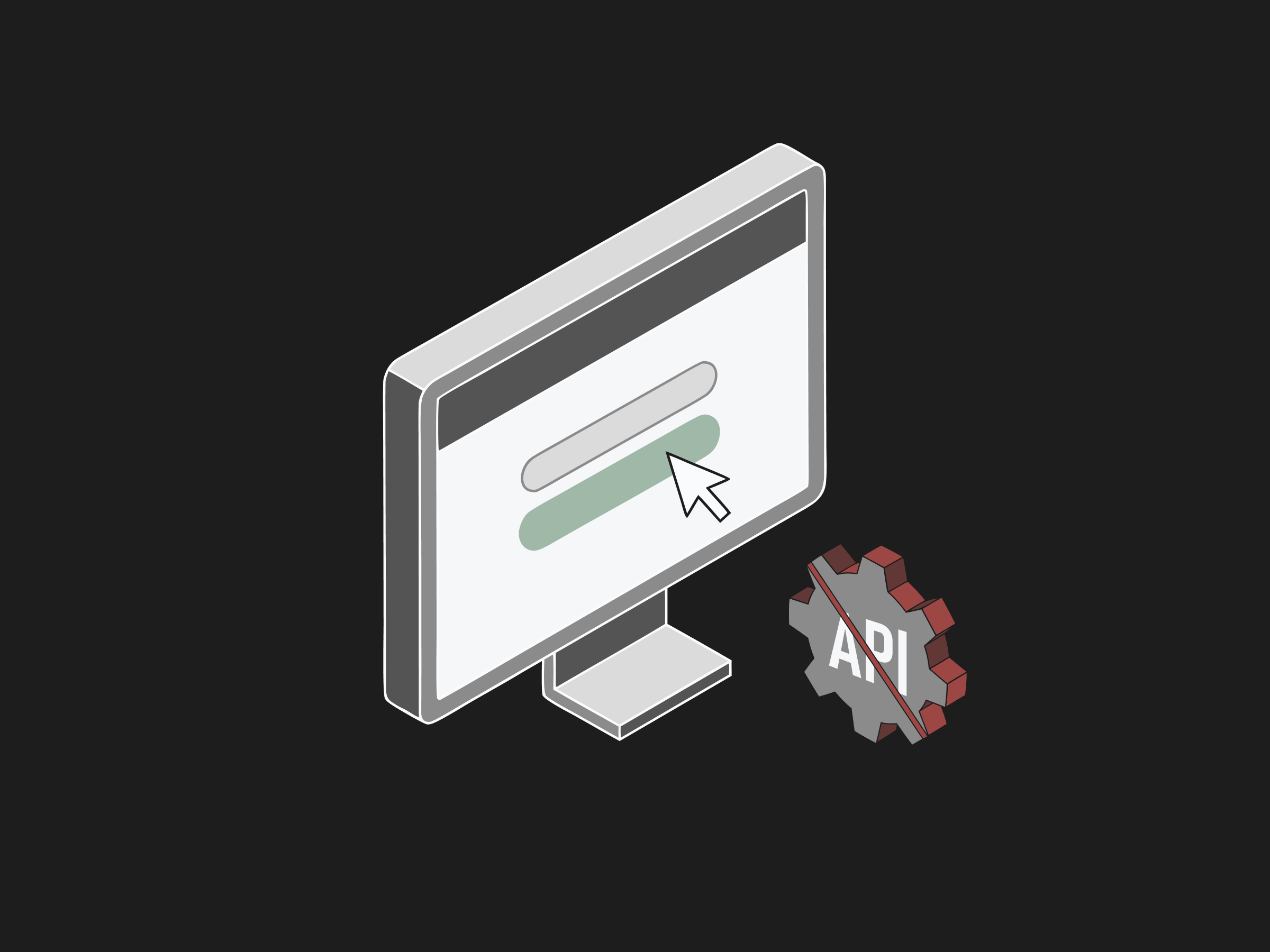
A browser agent automates systems that have no API by working through the user interface instead of a backend connection. Where a traditional integration calls a documented endpoint to exchange data, an agent opens the website, logs in, types into fields, clicks buttons, reads the response on screen, and records the result, exactly as a person would. This matters because a lot of systems, especially in healthcare, expose a web portal but offer no programmatic access for the workflows that consume the most time.
Insurance eligibility work is a common example, where teams still jump between separate payer portals like Availity and Medicare and Medicaid sites, wait on hold, and piece together benefits by hand instead of running a clean 270/271 transaction (Invene). An AI agent that reads the page and takes actions can close that gap without waiting for a vendor to publish an API or for an IT team to build and maintain a custom integration.
Why do some systems have no API?
Many enterprise and healthcare systems were built before API-first design was standard, and their owners never exposed the specific workflows teams need. A payer portal may support a login and a coverage lookup for humans while offering no equivalent developer endpoint, and a legacy EHR (a thick-client Epic or athenahealth install) may store data with no export. Even where standards exist, adoption is uneven: in healthcare the shift from older EDI transactions to modern FHIR APIs requires payers to run both interfaces in parallel for years, so a lot of provider workflows still depend on portals rather than clean integrations (Invene). The timeline is set in regulation: the Centers for Medicare and Medicaid Services requires affected payers to stand up an electronic prior authorization API, with development deadlines running into 2027, per its Interoperability and Prior Authorization final rule. Until those endpoints are live and universal, the browser is the interface that exists today. Building and maintaining a custom integration for each system is expensive, and vendors often gate or charge for API access. The result is a large surface of daily work that only exists through a browser.
Want this mapped against your own call and claim volume? Book a 30-minute audit
How does an agent work without an API?
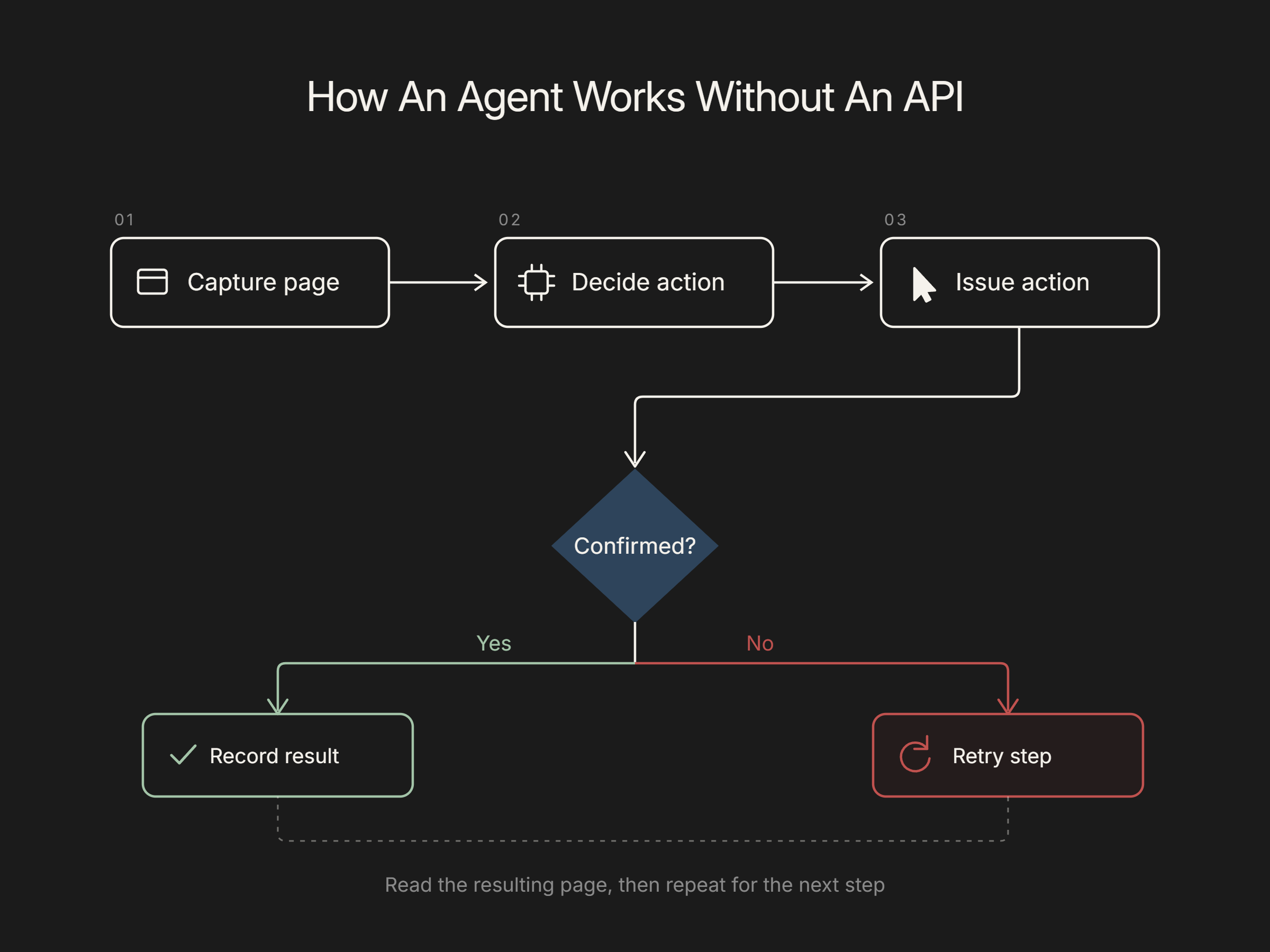
Without an API, a browser agent treats the screen as the interface. It captures the current page, either as a screenshot for a vision model or as the page's HTML and accessibility structure, then the AI model decides the next action from that view and the task goal. It issues the action through the browser, a click, a keystroke, a scroll, and then reads the resulting page to confirm the step worked before moving on. Anthropic's computer use approach demonstrated this pattern: give a model a screenshot and low-level controls, and it can operate applications that were never designed for automation (Anthropic). Because the agent reasons from what is actually on screen, it does not need documentation or a stable endpoint. It needs only the same access a trained employee would use.
Flexbone relies on this approach for payer portals and older systems, and it logs each action the agent takes so staff can review exactly what happened. See browser agents.
See what AI can run at your facility. In a 30-minute audit we map the calls, eligibility, and follow-ups Flexbone can take off your team first.
Book an auditIs agent-driven automation reliable?
Reliability is the honest question, and the answer is that it depends on the task and the guardrails around it. Research benchmarks that test agents on real websites show meaningful progress alongside real gaps, which is why production systems do not simply trust the agent to be right every time (arXiv). In practice, reliability comes from constraining the work: scoping the agent to a defined workflow, validating the data it reads against expected formats, retrying on transient failures, and routing anything ambiguous to a human. For a task like an eligibility check, the agent can confirm it landed on the coverage page and that the returned fields make sense before recording them. Well-designed agent automation is measured, logged, and reviewed, not left to run unchecked on sensitive systems.
Is it secure for sensitive systems?
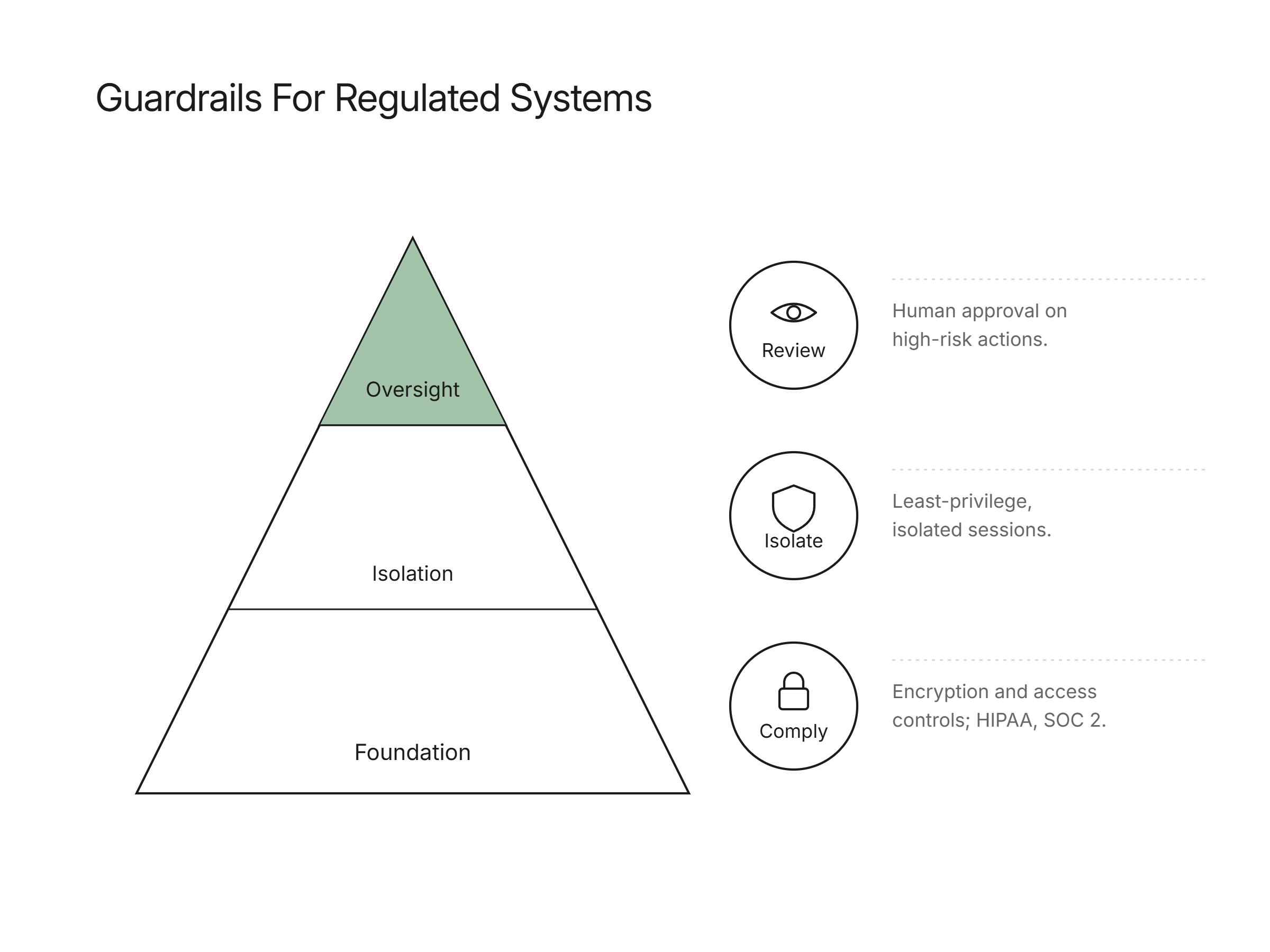
Security requires deliberate design, because a browser agent reads untrusted web content and then decides what to do, which opens the door to prompt injection: hidden instructions on a page that try to hijack the agent's behavior. Prompt injection is ranked the top risk in the OWASP Top 10 for large language model applications (OWASP). Mitigations follow standard defense-in-depth: give the agent least-privilege access, isolate its browser session, filter inputs and outputs, require human approval for high-risk actions, and log every step for audit. For regulated data, that also means encryption, access controls, and a compliance posture like HIPAA and SOC 2. Handled this way, an agent operating a portal can be as controlled as a staff member with scoped credentials, and every action it takes is recorded and reviewable.
How Flexbone automates no-API systems in regulated environments
Flexbone builds browser agents for exactly the systems that lack integrations: payer portals, legacy EHRs, and back-office web tools in healthcare and other regulated fields. We are audit-first, so before an agent touches anything we map the workflow, the access it needs, and the failure modes, then add logging and human review on sensitive steps. Our platform is HIPAA compliant and SOC 2-aligned, and agents run with scoped credentials in isolated sessions. This is how we automate work like eligibility verification and prior authorization lookups that would otherwise wait on an API that may never ship. See our approach to insurance eligibility verification, then book a demo to see an agent run on a portal you use.