The no-show rate is the share of scheduled appointments where the patient neither arrives nor cancels in time to fill the slot. Calculate it with one formula: no-show rate = (number of no-shows / total scheduled appointments) x 100, measured over a set period such as a month. For example, 45 no-shows out of 600 scheduled visits is 7.5 percent. The MGMA benchmark for well-run practices sits around 5 to 7 percent, so a 7.5 percent rate is slightly high and worth a closer look. The number that matters is not the practice-wide average but the segment view: the same rate broken out by provider, visit type, and new versus established patient, which is where the losses actually concentrate.
What is the no-show rate formula?
The formula is: no-show rate = (number of no-shows / total scheduled appointments) x 100. A no-show is a booked appointment where the patient did not arrive and did not cancel inside your notice window. Before you run the number, make one decision and hold it: whether a late cancellation counts as a no-show. A common approach is to exclude cancellations made outside the notice window (say, more than 24 hours out) and count only true no-shows and last-minute cancels. Tebra's calculation guide uses the same core formula: missed appointments divided by total appointments over the period, times 100. Whatever rule you pick, apply it the same way every month. If the definition drifts, your trend line becomes noise and you cannot tell whether an intervention worked.
Want this mapped against your own call and claim volume? Book a 30-minute audit
How do you calculate it with a worked example?
Take a single provider over one month. She had 320 scheduled appointments. Of those, 28 were no-shows and 12 were cancellations made well inside the notice window that you have decided to count. That is 40 missed slots. The math: (40 / 320) x 100 = 12.5 percent. Now translate it to money, because a percentage alone rarely drives action. If each visit averages about $150 in collected revenue, those 40 slots represent roughly $6,000 in one month, or near $72,000 a year for one provider. The AAFP frames missed appointments as recurring lost revenue for exactly this reason. Run the same calculation per provider so the dollar figure, not just the percent, guides where you focus.
Tracking the rate by appointment type shows where confirmation calls pay off. Flexbone runs those calls with voice agents and records each outcome, so the rate can be measured before and after. See AI patient coordinator.
See what AI can run at your facility. In a 30-minute audit we map the calls, eligibility, and follow-ups Flexbone can take off your team first.
Book an auditWhat is a normal no-show rate?
A normal rate depends heavily on setting, so compare against your specialty rather than a single global number. Well-run practices tend to land around 5 to 7 percent, but published research shows outpatient rates vary widely. A systematic review of outpatient clinics found no-show rates spanning a broad range across settings and scheduling models, with many clinics well into double digits. Primary care, pediatrics, and behavioral health commonly run higher than procedural specialties with engaged, high-cost patients. The practical read: if your rate sits in the high single digits, you are near typical; above 15 to 20 percent signals a workflow or access problem worth investigating rather than a number to accept. Benchmark against your own history first, then your specialty.
How do you segment the rate to find the problem?
The practice-wide average hides the segments losing you slots, so break the rate down before you act. Slice it by provider, day of week, time of day, visit type, appointment lead time, and new versus established patient. Research on missed appointments consistently ties higher no-show risk to identifiable factors, and a study of no-show prevalence and predictors found that the clinic setting, patient demographics, and appointment timing all predict who misses. Once you see, for example, that new-patient afternoon slots book at 22 percent no-show while established morning visits sit at 6 percent, you know where reminders, deposits, or overbooking will pay off. For the full reduction playbook, see our patient no-show rate guide.
How Flexbone measures and works the segments for you
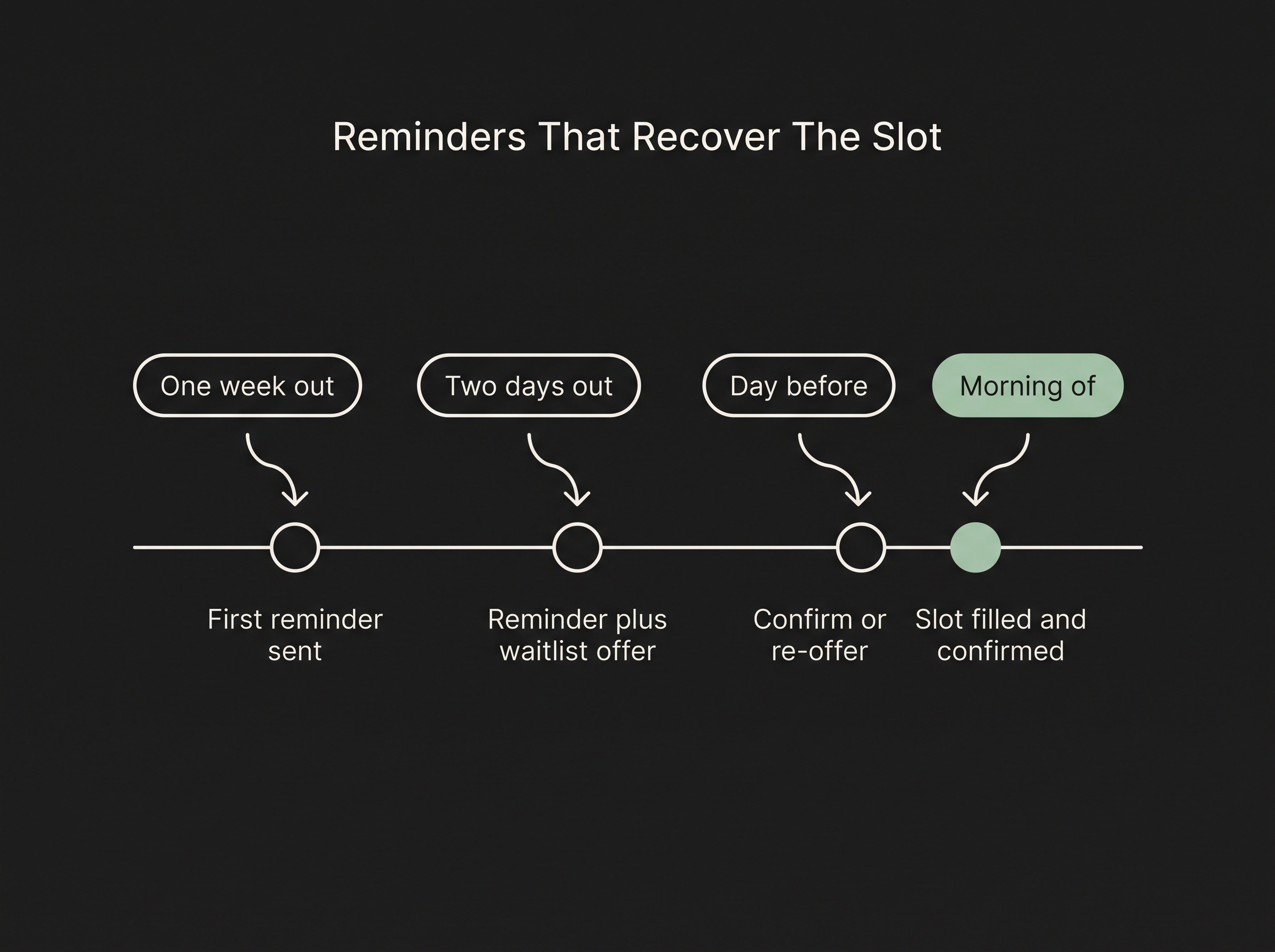
Segmentation is only useful if someone acts on it every day, which is where most front desks run out of hours. Flexbone deploys AI voice and messaging agents that work inside your EHR to pull the no-show rate by provider, visit type, and lead time, then run the multi-touch reminder and waitlist workflow against the segments losing the most slots, writing every action back to the schedule. In the engagements we run, we start with an audit that reports your current rate by segment so you can see the problem before automating against it.
See where your slots are leaking: book a patient access audit, or read more on the AI patient coordinator.