
A browser agent is an AI system that operates a web browser the way a person does. It reads the page, decides what to do next, and then clicks, types, scrolls, and navigates to finish a task described in plain language. Instead of calling a backend API, it works through the same interface a human sees. Modern browser agents pair a large language model with a control loop: the model takes a screenshot or reads the page structure, chooses the next action, executes it, and checks the result. Anthropic's computer use capability, released in 2024, was among the first frontier models able to look at a screen, move a cursor, click, and type (Anthropic). Browser agents matter most where software has a usable web interface but no API, which describes a large share of healthcare and enterprise back-office work.
What is a browser agent?
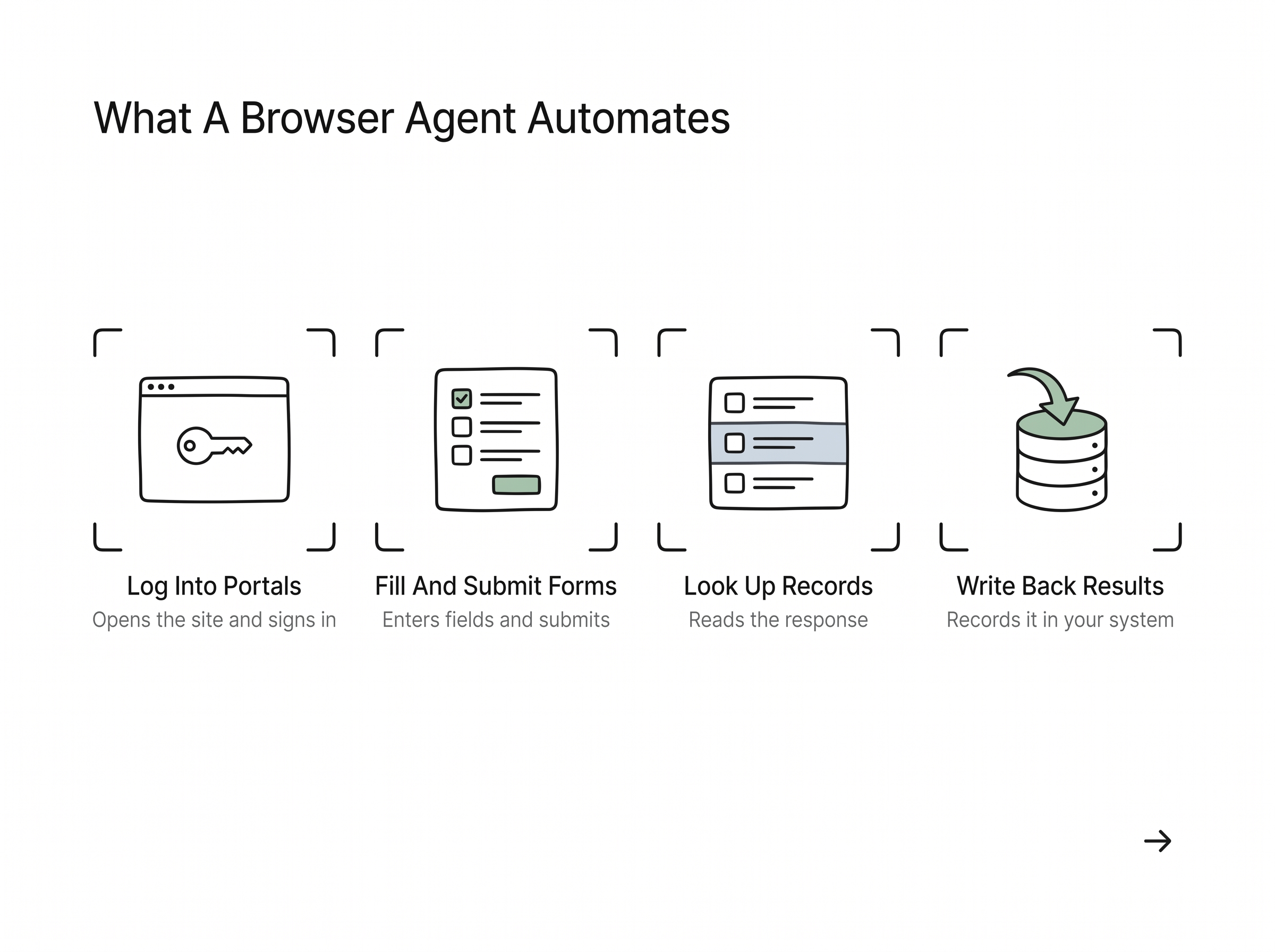
A browser agent is a program that combines an AI model with a browser it can control, so a written instruction becomes a sequence of real actions on live web pages. You describe the goal, such as "check this patient's coverage on the payer portal," and the agent handles the intermediate steps: opening the site, logging in, entering the member ID, reading the response, and recording the result. OpenAI described this pattern when it introduced Operator, an agent that can go to a website and complete tasks for you by interacting with the page directly (OpenAI). The defining trait is that the agent acts on the interface itself rather than through a dedicated integration, so it can work with tools that were never built to be automated.
Want this mapped against your own call and claim volume? Book a 30-minute audit
How does a browser agent work?
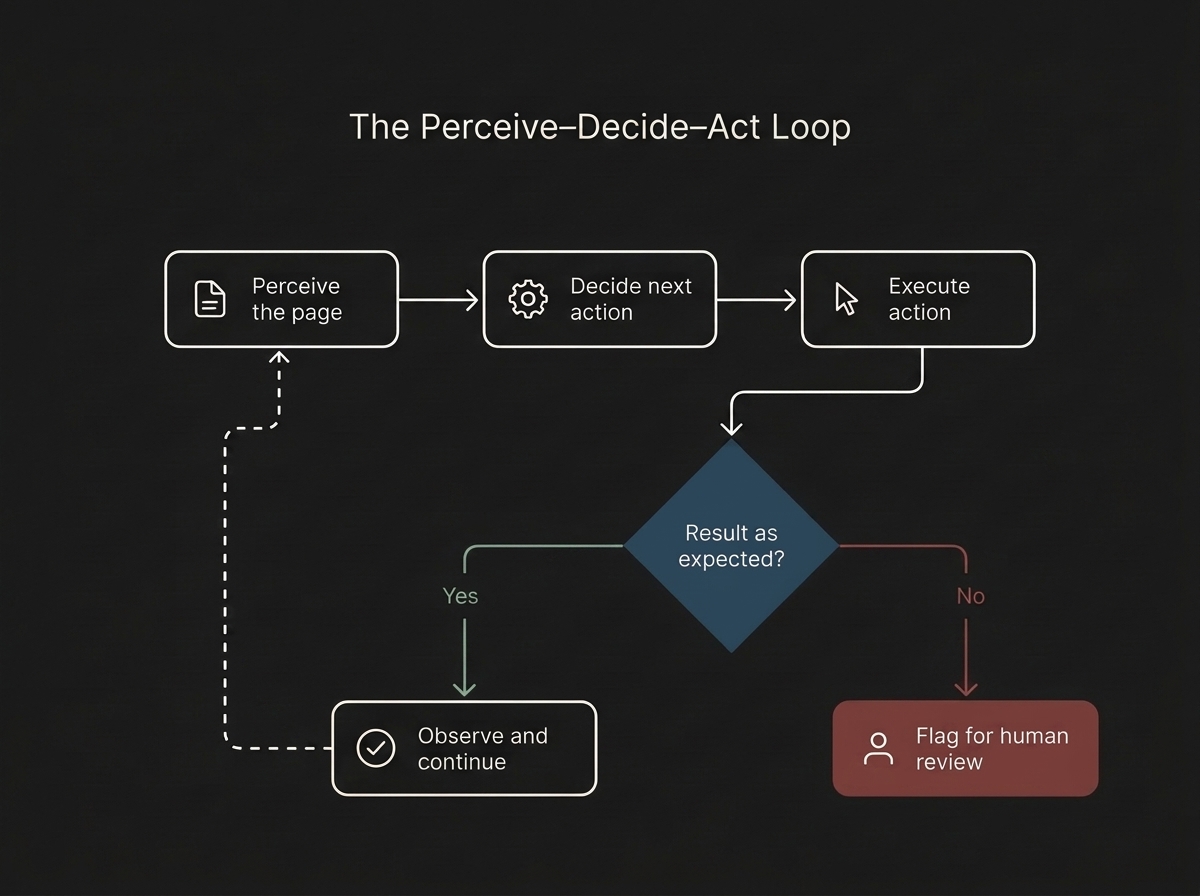
A browser agent runs a perceive, decide, act loop. First it perceives the page, either by capturing a screenshot and using vision or by reading the underlying HTML and accessibility tree. Then the model decides the next action from that context and the task goal. Then it acts, issuing a click, keystroke, or scroll through the browser, and finally it observes the new page state to confirm the action worked before repeating the cycle. Anthropic's computer use tool documents this structure: the model is given a screenshot and a set of low-level actions like mouse moves and key presses, and it returns the next action to run (Claude docs). Because each step is reasoned from what is currently on screen, the agent can recover when a page loads slowly or an unexpected dialog appears.
In healthcare the case for one is the systems without a usable API: payer portals, older practice management screens, state Medicaid sites. Flexbone builds browser agents for those systems and decides which portal tasks to hand over by watching how staff perform them today.
See what AI can run at your facility. In a 30-minute audit we map the calls, eligibility, and follow-ups Flexbone can take off your team first.
Book an auditWhat can a browser agent automate?
A browser agent can automate most repetitive work that lives inside a web application: filling and submitting forms, logging into portals, looking up records, extracting fields from a results page, downloading documents, and copying data between systems. Open-source frameworks such as browser-use exist specifically to let AI agents navigate sites, click elements, and pull structured data from pages (browser-use). In healthcare operations this maps directly to high-volume tasks. An agent can run an eligibility check on a payer portal, read the coverage response, and write it back to the practice management system. It can look up a prior authorization status, capture the reference number, and flag anything that needs a human. The common thread is browser-based work that a person would otherwise do by hand, one tab at a time.
How is a browser agent different from a script or bot?
A traditional script or macro follows fixed instructions tied to specific page elements, so it does exactly what it was told and nothing more. When a button moves, a field is renamed, or a portal is redesigned, the script fails because its hard-coded selectors no longer match. A browser agent instead reasons about the page from what it sees, so it can find the login field even if its location or label changed. Research benchmarks like BrowserArena evaluate agents on real-world web navigation precisely because handling the variability of live sites is the hard part (arXiv). The tradeoff is that agents are probabilistic rather than deterministic, so production systems still need guardrails, validation, and human review on sensitive steps. The gain is resilience: the agent adapts to interface change that would break a brittle script.
How Flexbone deploys browser agents in regulated environments
Flexbone builds browser agents for secure and regulated settings, where the software is often web-based but closed to integration. We are audit-first: before automating anything, we map the exact workflow, the systems involved, and the failure modes, so the agent operates inside known boundaries with logging and human review on sensitive actions. Our platform is HIPAA compliant and SOC 2-aligned, which matters when an agent touches patient data on a payer portal or an EHR. In the engagements we run, browser agents handle work like insurance checks and status lookups that otherwise consume hours of staff time. See how this applies to insurance eligibility verification, then book a demo to see a browser agent run on your own portals.