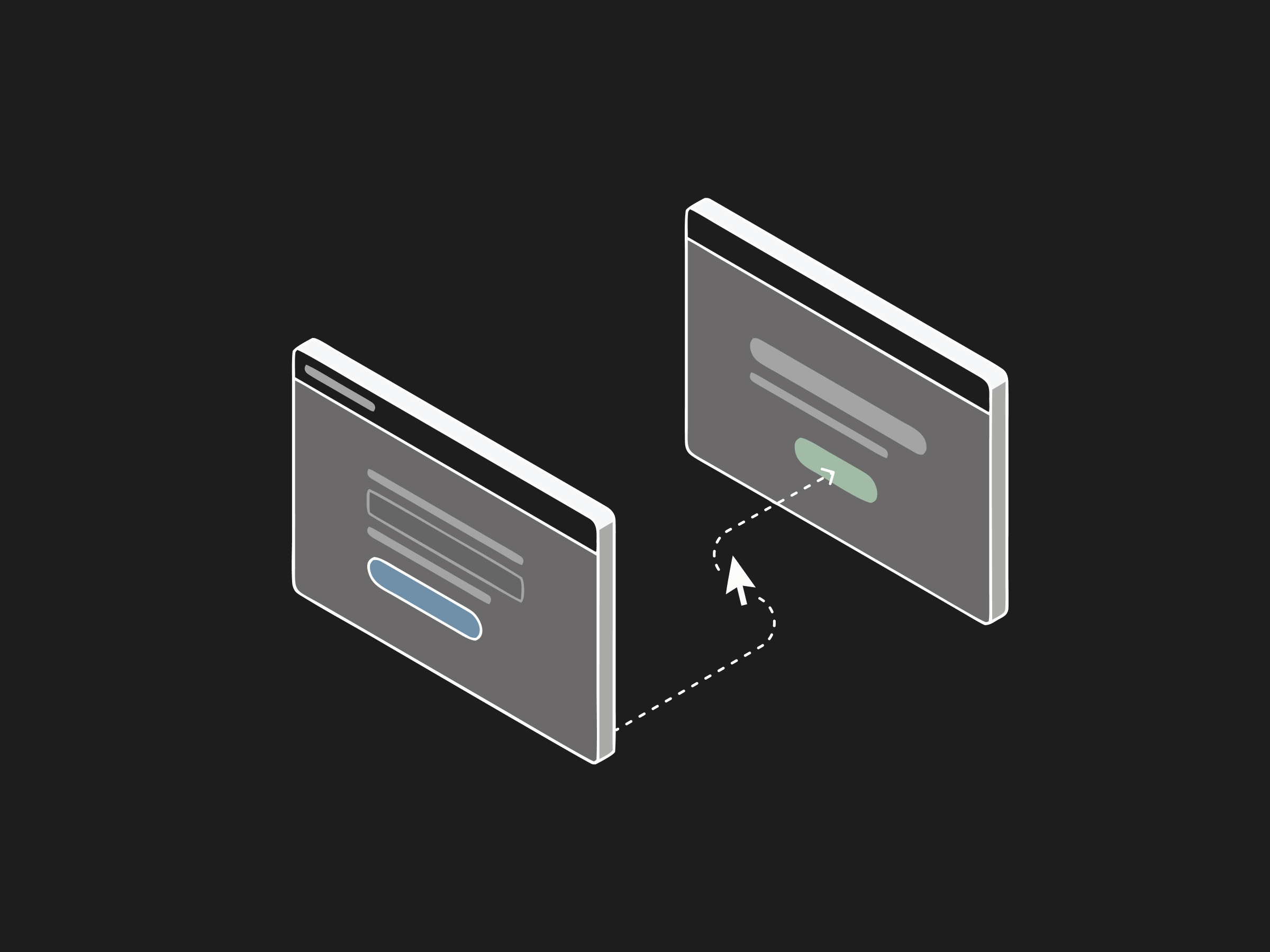
A website-navigation agent is an AI system that operates a web interface the way a person does: it reads the screen, moves a cursor, clicks buttons, types into fields, and works through multi-step flows to finish a task. Instead of calling an API, it drives the actual browser UI, which lets it work with portals that have no integration available. Anthropic introduced this capability with computer use, where the model takes screenshots and controls mouse and keyboard to complete tasks such as filling a form from data on the page and online. That screen-reading, action-taking loop is what defines the category. This guide explains what a website-navigation agent is, how it drives a web UI, what it can automate, and how it handles the hard parts: logins and long multi-step flows.
What is a website-navigation agent?
A website-navigation agent is software that perceives a web page visually or structurally, decides what action moves the task forward, and performs that action through the browser. It handles the tasks a person would do by hand in a portal: search, click, select, type, submit, and read the result back. OpenAI describes its computer-using agent as a model that combines vision with reasoning to interact with graphical interfaces, taking screenshots to monitor progress and using the same mouse and keyboard actions a person has. The key point is that it needs no custom integration. Because it works the interface directly, it can operate systems that were never built to be automated, which is common in healthcare and insurance, where much of the daily work lives in payer portals and legacy web applications with no API.
Want this mapped against your own call and claim volume? Book a 30-minute audit
How does it drive a web UI?
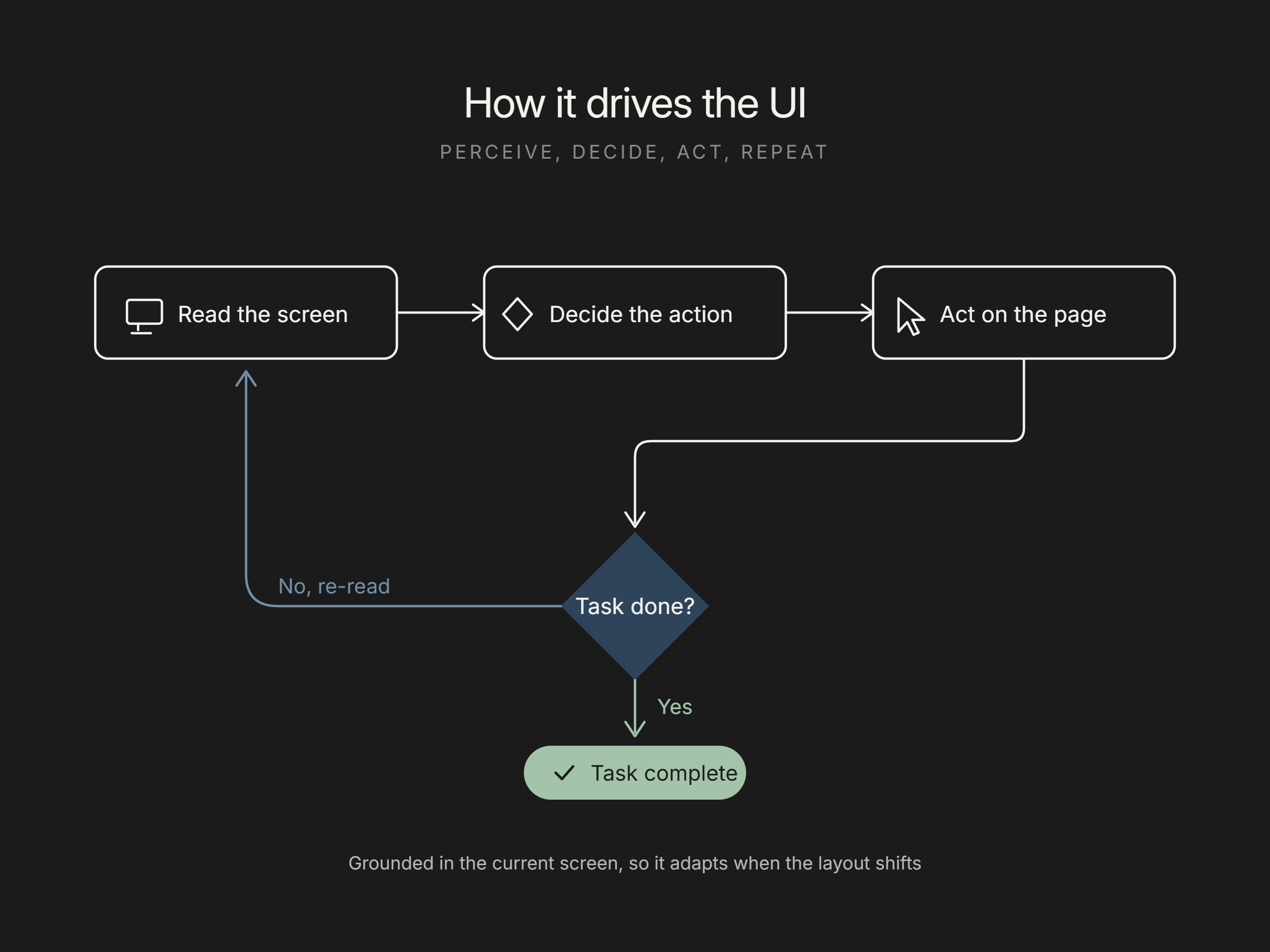
It drives a web UI in a loop: capture the current state of the page, decide the next action, perform it, then capture the new state and repeat until the task is done. The perception step is usually a screenshot or an accessibility snapshot; the action step is a click, keystroke, or scroll issued to the browser. Anthropic's computer use documents this pattern directly: the model receives screenshots and returns mouse and keyboard commands, translating an instruction like "fill out this form using data from my files" into a sequence of concrete UI actions. Because each step is grounded in what the page currently shows, the agent can adapt when a layout shifts or an extra dialog appears, rather than failing the way a hard-coded script does when a selector moves. That adaptability is the practical advantage over brittle click-path automation.
Flexbone uses this kind of agent for payer portals and web-based health systems that expose no integration, and it maps each portal's steps from staff sessions before automating them. See browser agents.
See what AI can run at your facility. In a 30-minute audit we map the calls, eligibility, and follow-ups Flexbone can take off your team first.
Book an auditWhat can it automate?
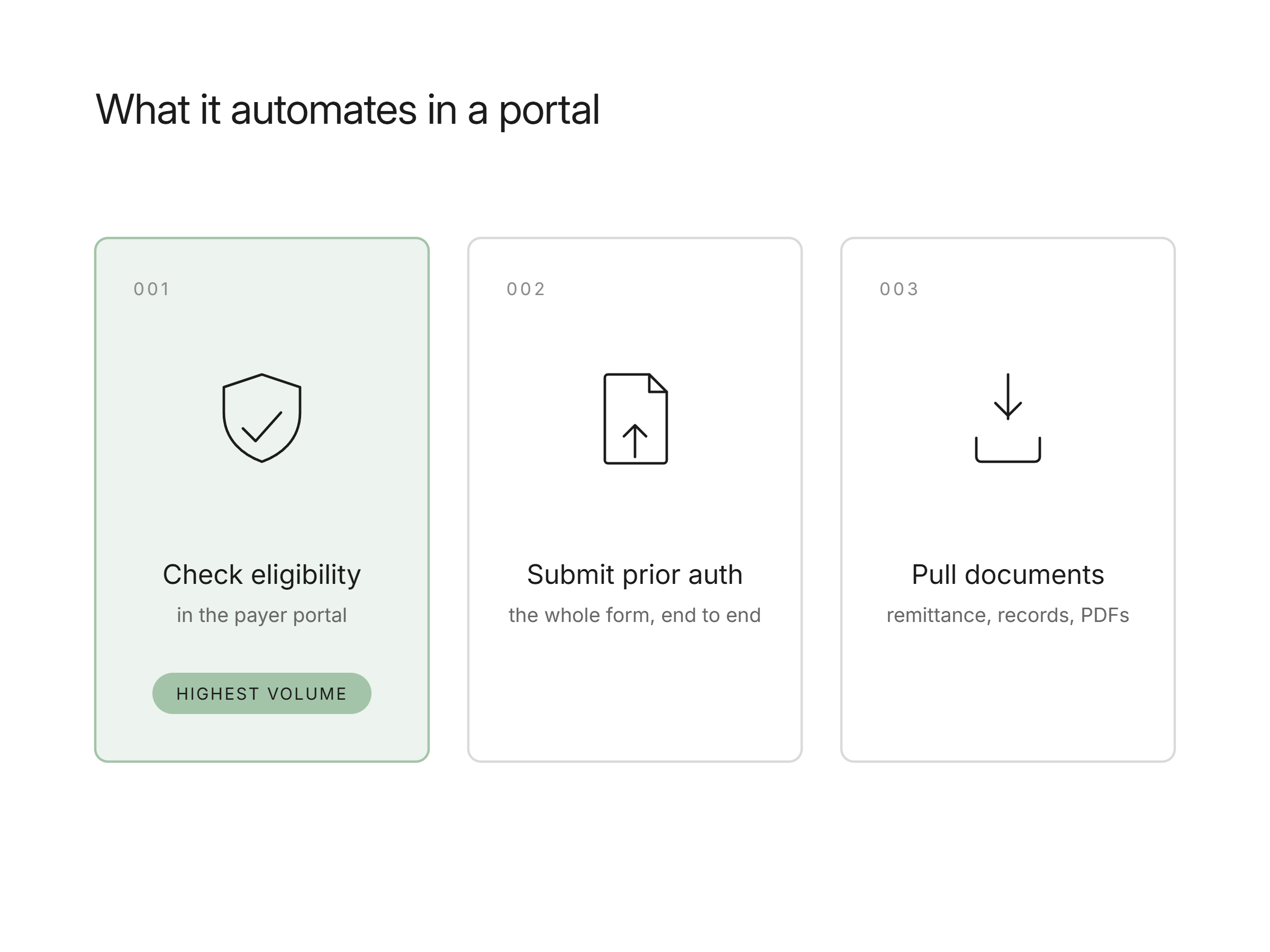
A website-navigation agent can automate the repetitive portal work that people do all day: looking up a record, submitting a form, checking a status, downloading a document, and entering data across several screens. OpenAI's Operator, built on its computer-using agent, is described handling multi-step tasks such as filling out forms and submitting online orders end to end. In a regulated back office, the equivalents are checking insurance eligibility in a payer portal, submitting a prior authorization, posting a status update in an EHR web app, or pulling a remittance document. These are high-volume, rule-shaped tasks with a clear finish state, which makes them good first candidates. Work that is ambiguous, requires clinical judgment, or has irreversible consequences should stay with a person or run behind human approval until the agent has a measured record on the narrow task.
How does it handle logins and multi-step flows?
Multi-step flows are handled by keeping state across steps and re-reading the page after each action, so the agent knows where it is in the sequence and can recover when a step returns something unexpected. Logins and other sensitive moments are handled differently: the safest agents pause and hand control to a person for credentials, payment, or anything high-stakes. OpenAI notes that Operator hands control back to the user when it reaches such steps or when it gets stuck and needs help, rather than pushing through. In practice, credentials are better managed through a secure vault and scoped sessions than typed by the model, and long flows should have checkpoints where the agent verifies it is on the right record before it commits an action. That combination, human handoff on sensitive steps plus per-step verification, is what keeps portal automation reliable and safe.
How Flexbone uses navigation agents in regulated portals
Flexbone builds audit-first browser and desktop agents that operate the payer portals and EHR web apps where regulated back-office work actually happens. Much of revenue cycle runs in interfaces with no API, so a navigation agent that reads the screen and drives the UI can check eligibility, submit prior authorizations, and pull documents without a custom integration. Because the platform is HIPAA compliant and SOC 2-aligned, those agents run with scoped, vaulted credentials, human handoff on sensitive steps, and a full audit trail of every action taken in the portal. We start from an audit of the portal tasks you run most, automate one end to end with verification checkpoints, and expand from measured results. See how this applies to prior authorization automation.
Book a demo: https://www.flexbone.ai/contact