Availity is a health information network and a multi-payer provider portal that medical practices and billing teams use to run administrative transactions with health plans. Through Availity, staff check eligibility and benefits, submit claims and check their status, request prior authorization, and receive remittance, all in one place instead of visiting a separate site for each payer. The provider-facing web application is called Availity Essentials, and behind it the network carries the standard electronic transactions payers require. Availity is one of the most widely used provider portals because many major national and regional payers route their provider self-service through it. Understanding what Availity does, and where it stops automating, explains why front-office and revenue-cycle teams spend so much time logged into it.
What is Availity used for?
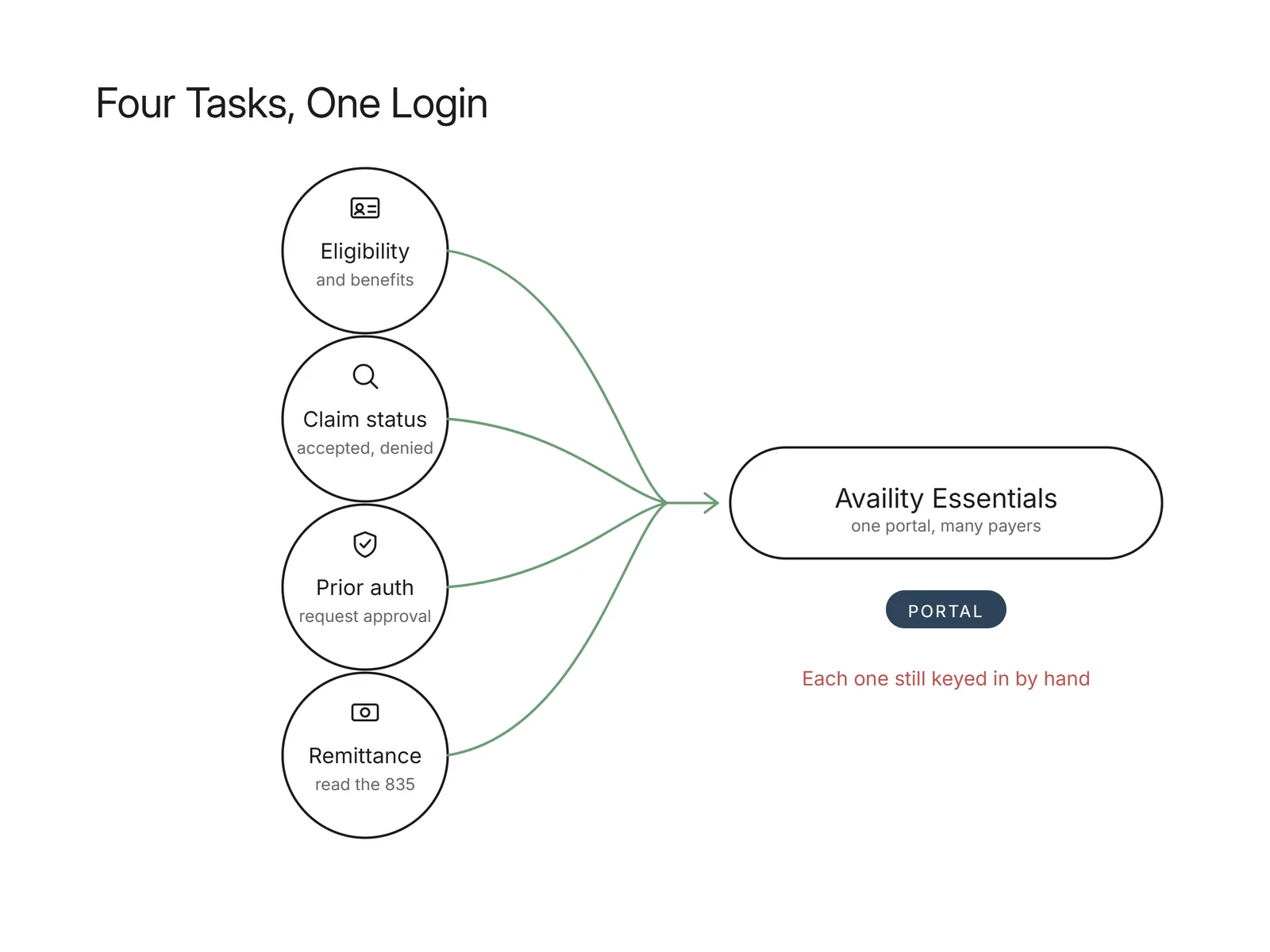
Providers use Availity for the administrative work that sits between a patient visit and getting paid. The most common tasks are eligibility and benefits verification, claim submission, claim status inquiries, prior authorization, and viewing remittance. Front-office staff confirm a patient's plan is active and read back copay and deductible details before an appointment. Billing teams submit claims, then return later to check whether each was accepted, pended, or denied, and utilization staff request approvals for services that require them. Because Availity brings these functions together for many payers under one login, it becomes the daily workspace for a large share of a practice's payer-facing tasks. The catch is that much of this is still done by hand: a person reads a screen, types member and service details, and copies the result somewhere else.
Want this mapped against your own call and claim volume? Book a 30-minute audit
Which payers use Availity?
Availity connects many national and regional health plans, and the specific set depends on the payer and the region. For some plans, Availity Essentials is the primary or only route for provider self-service, so staff must use it to check eligibility or submit an authorization. Other plans participate in Availity while also keeping their own portals, which means a billing team may work the same task in different places for different payers. Because the payer roster is not fixed and changes over time, the reliable way to know whether a given plan is reachable through Availity is to check its participation inside Availity Essentials rather than assume it. This is also why many practices juggle several portals: Availity covers a wide swath of payers, but not every plan a patient might carry.
For a practice, Availity is one of several portals staff move between in a day, and the time goes to repeating the same lookups in each. Flexbone runs those lookups with browser agents on the portals staff already use, including Availity, and writes the result back to the EHR. See insurance eligibility verification.
Is Availity free for providers?
Availity Essentials has long offered a no-cost tier for core provider transactions, including eligibility and benefits, claim status, and remittance, with paid plans and add-on services layered on top. That structure is why so many practices adopt it: the base functions a front office needs every day are available without a per-transaction charge for many payers. What is included, and what costs extra, can depend on the payer, the transaction type, and the plan a practice signs up for, and those terms change over time. Rather than rely on a fixed price or a blanket "it's free" assumption, confirm the current terms with Availity directly for the transactions your team runs most. The cost that tends to matter more in practice is not the portal fee; it is the staff time spent keying transactions into it.
See what AI can run at your facility. In a 30-minute audit we map the calls, eligibility, and follow-ups Flexbone can take off your team first.
Book an auditWhat is the difference between Availity Essentials and a clearinghouse?
Availity Essentials is the web portal where staff log in and work transactions by hand, while a clearinghouse is primarily an intermediary that moves and translates standard EDI between a practice's billing system and payers. The line blurs, because Availity also operates as a network that carries those same standard transactions, so it does clearinghouse-style routing in addition to offering a portal. The difference that matters day to day is the interface: with a clearinghouse, a practice's software sends a claim or an eligibility file and reads back a structured response with little human involvement; with the Availity portal, a person opens a screen, keys in the patient and service, and reads the result off the page. Many practices use both, submitting the bulk of claims through their billing system and clearinghouse while using the Availity portal for eligibility checks, status lookups, and authorizations that are easier to do, or only available, through the portal.
How do eligibility and prior authorization work in Availity?
Eligibility and prior authorization in Availity map to the same standard transactions used across the industry, whether a staffer runs them in the portal or a system exchanges them over the network. An eligibility check corresponds to the 270 inquiry a provider sends and the 271 response the payer returns; the federal standard for that health plan eligibility benefit inquiry and response is defined under HIPAA Administrative Simplification, per CMS. Claim status maps to the 276/277 pair, prior authorization to the 278 request and response, and remittance to the 835. In the portal, a person triggers these by filling out forms: entering the member and service for an eligibility check, or building an authorization request field by field and returning later to read the decision. Where the portal does not automate a step, the work stays manual, which is exactly the seam where an AI browser agent can operate the same screens a person would.
How Flexbone works inside Availity and other payer portals
Flexbone deploys AI browser agents that operate inside Availity and other payer portals the way staff do, driving the same screens rather than requiring a portal integration or special API access. The agents log in, run eligibility checks, look up claim status, and complete prior-authorization requests, reading the responses off the page and writing structured results back into the systems your team already uses. Because the work happens in the browser, it covers portals that have no electronic connection to your billing system, which is where manual keying otherwise concentrates. This complements electronic paths: for insurance eligibility verification, the agents run the 270/271 exchange where it exists and fall back to a portal login when a payer only answers there. The same pattern supports the follow-up behind AI denials management, and voice work through healthcare calls covers tasks that require a phone. The approach is audit-first: every action the agents take is logged so a person can review what was checked, in which portal, and what came back, and exceptions route to your staff.
If your team spends its day logged into Availity and a stack of other payer portals, the next step is to map which of those tasks software can run. Book a call with Flexbone to walk through what AI agents can handle in Availity and your other payer portals, and where a person should stay in the loop.